Account Connect
Account functionality provides shop users with an overview of their account, showing account information and personalized data, and allows shop users to edit their account information.
Account functionality features a modern, responsive interface with enhanced tools for managing account pages. It supports a hierarchical structure with customizable page order, letting you create a parent page and related child pages underneath, and it supports page components for greater flexibility in page design. You can learn more in the Page setting documentation.
Account Connect elements
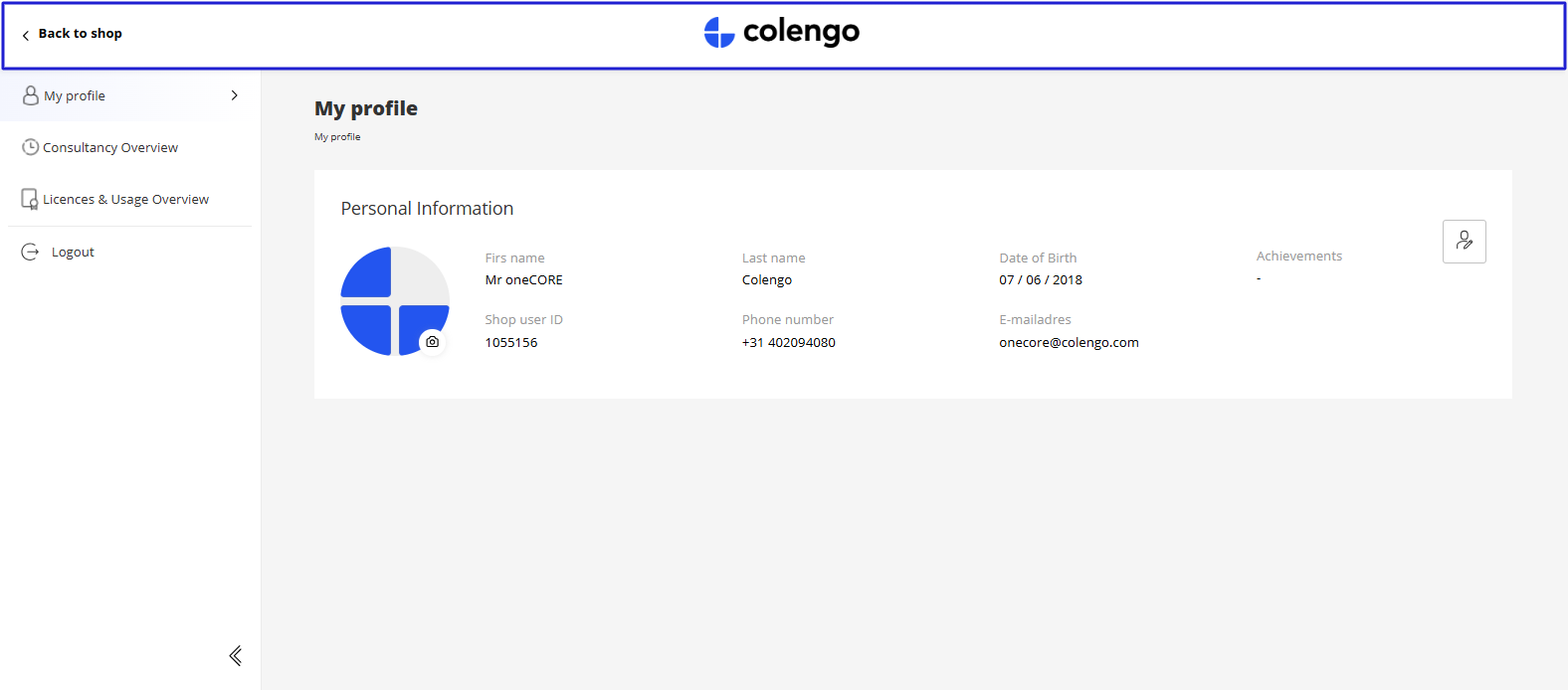
1. Header includes company logo and "Back to shop" button.
The "Back to shop" button is set up with Translation keys:
- Ac-BackToShop for desktop and tablet devices.
- Ac-Back for mobile device.
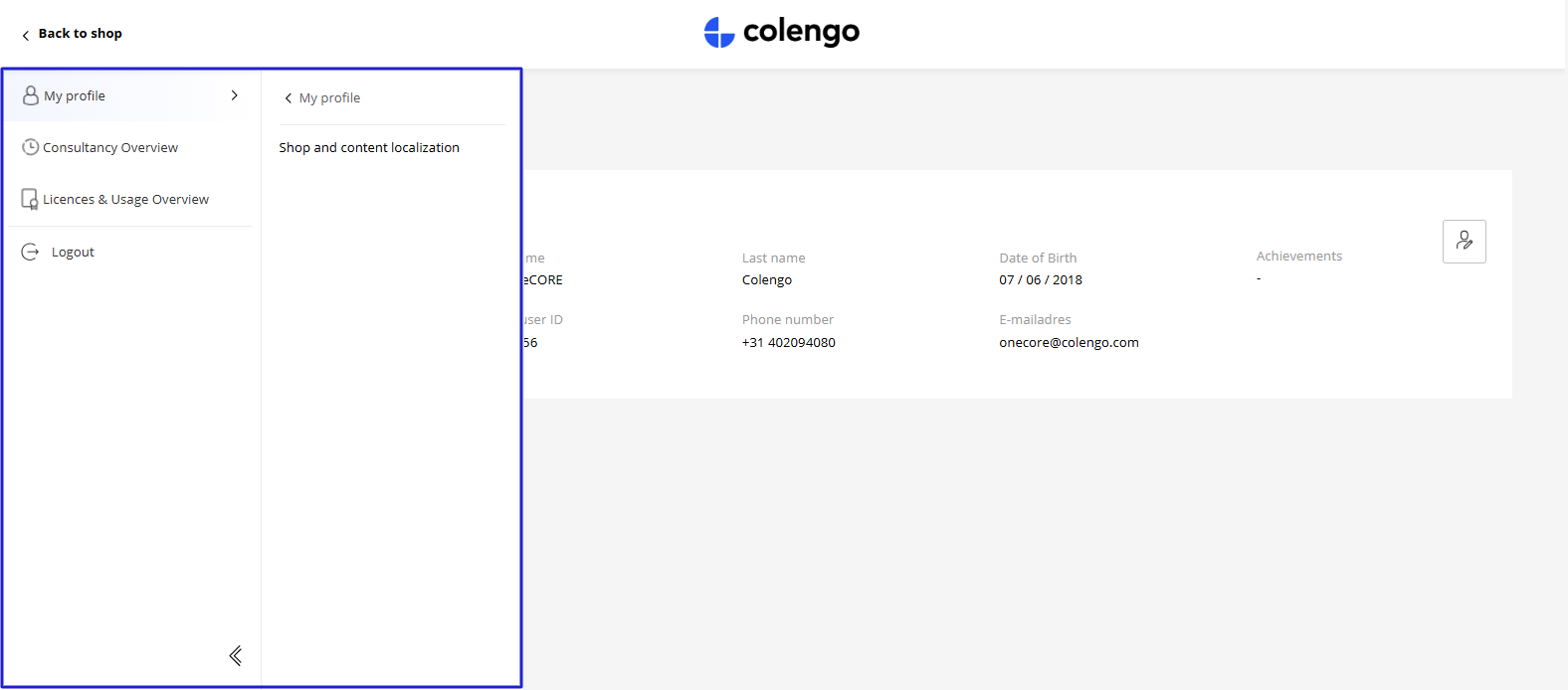
2. Menu displays all active Account functionality V2 pages. The display order relies on the page order arranged in Admin site. The display name is page title, while page icon is page's image. Learn more about Page setting.
Note: A logout button is set up with a Translation key "Ac-Logout".
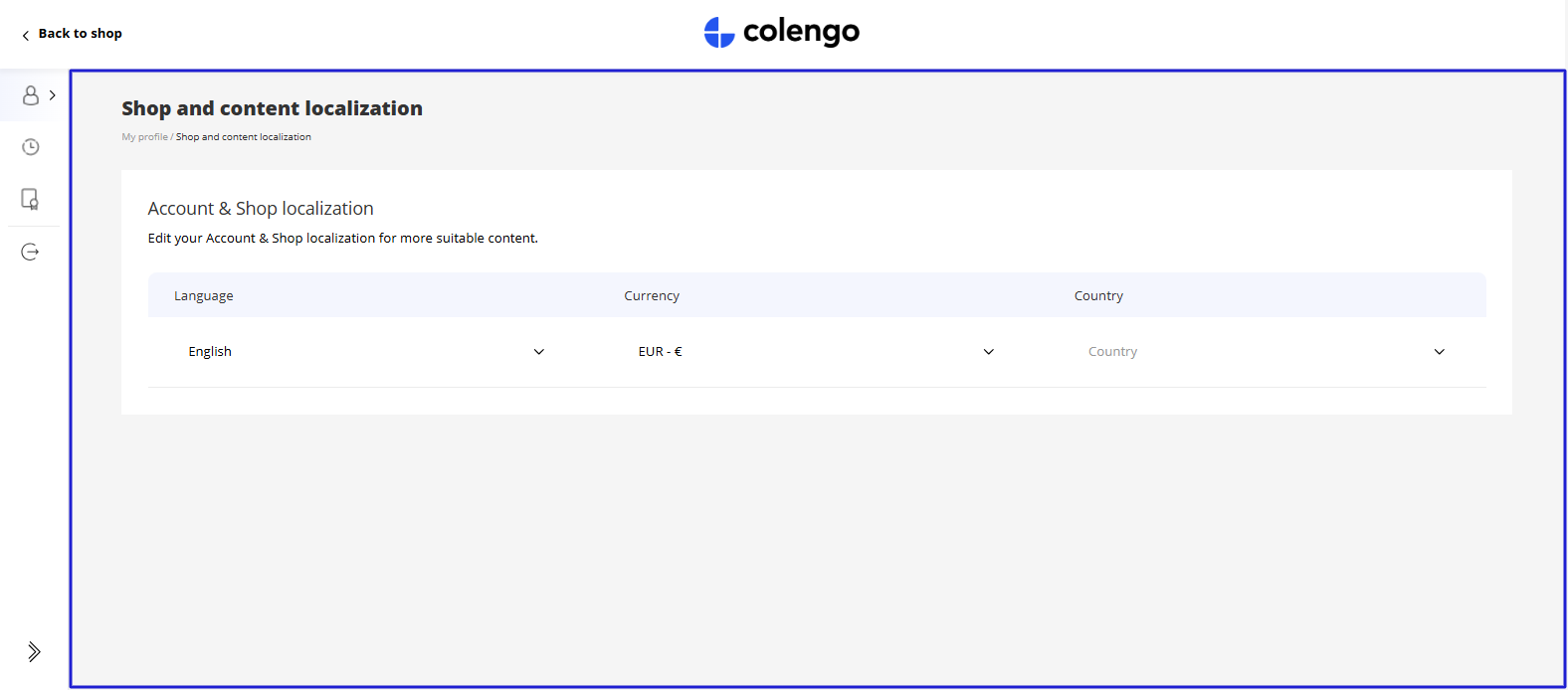
3. Content panel displays all the page components that make up the current page. Top of the page will display a page title and breadcrumb underneath.
Richtlijnen voor het instellen van componenten
oneCORE biedt een set basiscomponenten die beschikbaar zijn voor alle klanten, en biedt daarnaast de flexibiliteit om aangepaste componenten te creëren voor specifieke behoeften. Hieronder vindt u een overzicht van de beschikbare componenten, samen met richtlijnen voor het instellen ervan.
De pagina-indeling die paginacomponenten ondersteunt is de indeling ‘Standaard’.
AccountOverview
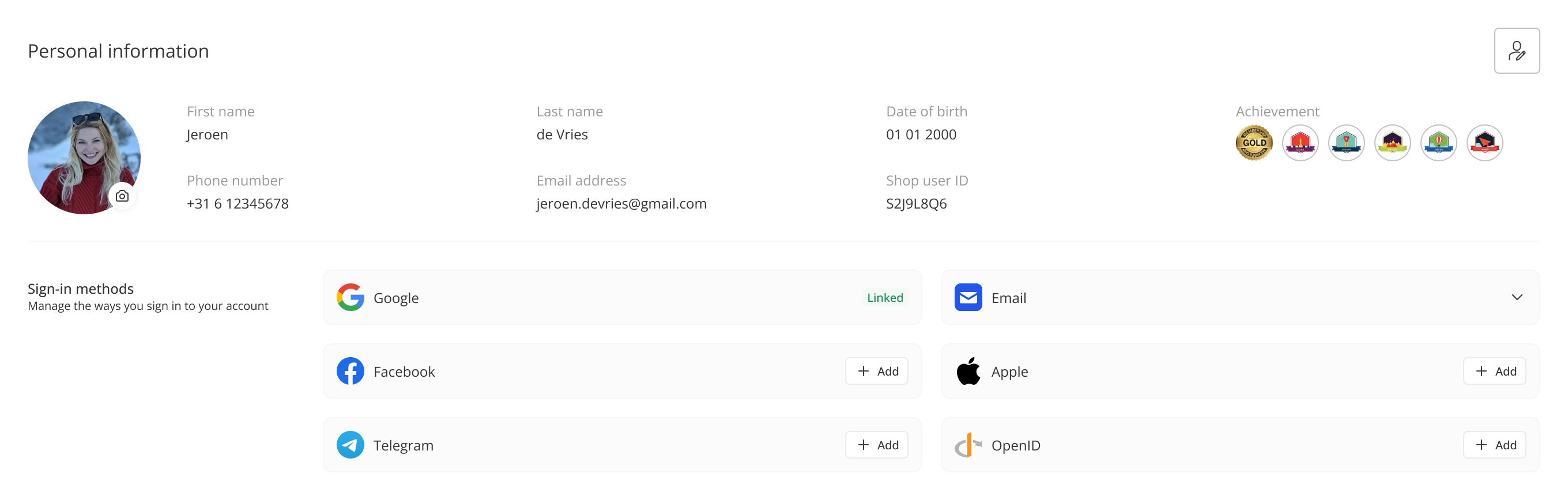
This component displays customer's personal information and allows customers to edit their information. Customers can also manage their sign-in methods by link or unlink the available sign-in methods. Besides, they can edit their sign-in email on this component. Note: To enable customers to edit their sign-in email, you need to grant "update:users" permission for oneCORE app on Auth0 setting. Please follow the guideline from Auth0.
Every elements are set up with Translation keys below:
- ac-PersonalInformation
- ac-FirstName
- ac-LastName
- ac-ShopUserId
- ac-Achievement
- ac-PhoneNumber
- ac-EmailAddress
- ac-Salutation
- ac-Mr
- ac-Mrs
- ac-Unset
- ac-Save
- ac-BirthDay
- ac-Clear
- ac-Apply
- ac-InvalidFileSize
- ac-InvalidFileType
- ac-LastNameRequiredMessage
- ac-FirstNameRequiredMessage
- ac-EmailRequiredMessage
- ac-TelephoneRequiredMessage
- ac-BirthdayRequiredMessage
- ac-SignInMethod
- ac-SignInMethodDescription
- ac-EmailSignInMethod
- ac-FacebookSignInMethod
- ac-GoogleSignInMethod
- ac-AppleSignInMethod
- ac-OpenIdSignInMethod
- ac-TelegramSignInMethod
- ac-AreYouSureYouWantToUnlinkThisSignInMethod
- ac-ConfirmUnlinkThisSignInMethodDescription
- ac-LinkAccountSuccess
- ac-CanNotUnlinkLastSignInMethod
- ac-UnlinkSignInMethodSuccess
- ac-UnlinkSignInMethodFailed
- ac-Linked
- ac-Unlink
- ac-Add
- ac-MoveSignInMethodSuccess
- ac-CanNotMoveSignInMethod
- ac-ThisSignInMethodAlreadyLinkedToAnotherAccount
- ac-ThisSignInMethodAlreadyLinkedToAnotherAccountDescription
- ac-SwitchAndLink
- ac-YouMayLossAccessToYourAnotherAccount
- ac-SignInEmail
- ac-UpdateAccountEmail
- ac-CannotEditLoginEmail
- ac-DuplicateEmailAddress
- ac-UpdateSignInEmailFailed
- ac-UpdateSignInEmailFailed
- ac-EditLoginEmailUnlinksSocialTitle
- ac-EditLoginEmailUnlinksSocialDescription
- ac-Auth0ConnectionPassword
- ac-Auth0ConnectionOtp
- ac-Auth0ConnectionSms
- ac-Auth0ConnectionGoogle
- ac-Auth0ConnectionFacebook
- ac-Auth0ConnectionApple
- ac-Auth0ConnectionUnknown
AccountCompletion
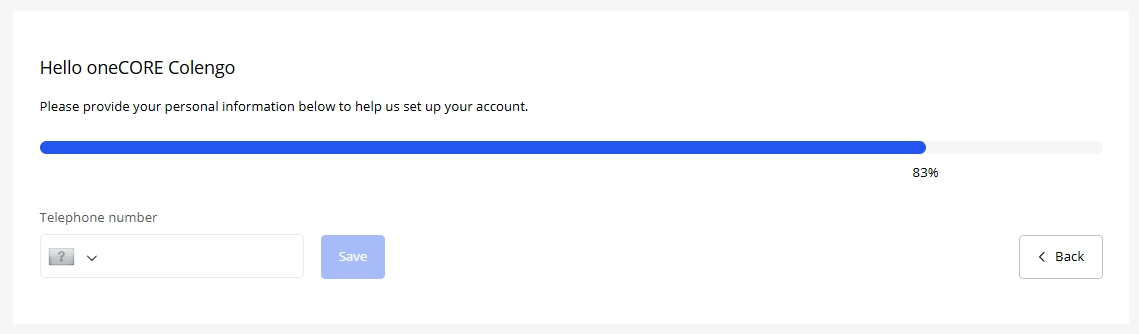
Deze component moedigt klanten aan om hun persoonlijke gegevens in te vullen.
U dient een component in te stellen met het dynamische formulierstype ‘Accountinformatievragen’. Velden die aan het formulier worden toegevoegd, worden gebruikt om de voltooiing van accountgegevens te berekenen.
De titel en beschrijving zijn bewerkbaar via de componenteditor. De overige elementen zijn ingesteld met de onderstaande vertalingssleutels:
- Ac-FillInformationCompleted
- Ac-Back
- Ac-Next
- Ac-Salutation
- Ac-Mr
- Ac-Mrs
- Ac-Email
- Ac-FirstName
- Ac-LastName
- Ac-TelephoneNumber
AccountPreference
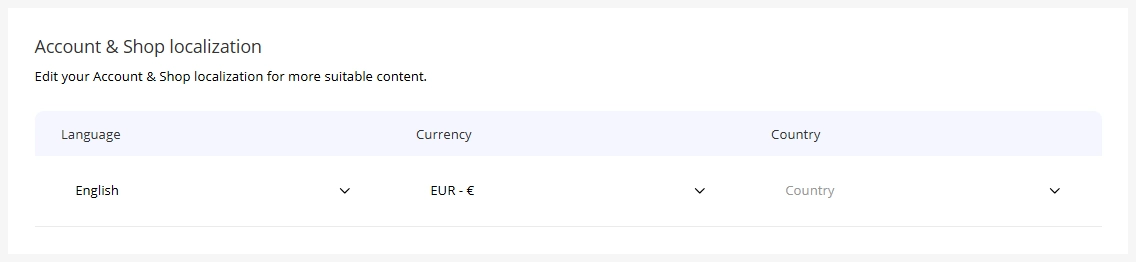
Deze component stelt klanten in staat om hun account- en winkellokalisatie aan te passen (vergelijkbaar met de instellingenpagina van Account V1).
De titel en beschrijving zijn bewerkbaar via de componenteditor. De overige elementen zijn ingesteld met de onderstaande vertalingssleutels:
- Ac-Country
- Ac-SearchCountry
- Ac-Language
- Ac-SearchLanguage
- Ac-Currency
- Ac-SearchCurrency
Content
Deze component is ontworpen voor het dynamisch weergeven van informatie, afhankelijk van uw gebruik.
De inhoud kan worden ingesteld via een rich text-editor, die ondersteuning biedt voor koppen (H1–H6), hyperlinks en opgemaakte tekst voor flexibele contentcreatie.
Opmerking: er zijn vooraf gedefinieerde tekstkleuren, zoals hieronder aangegeven:
- H1 – H3 = effen zwart (#000000)
- H4 = #333333
- H5 = #5C5C5C
- H6 = #999999
- Hyperlink = Primaire kleur uit de bedrijfsinstellingen

MyVouchers
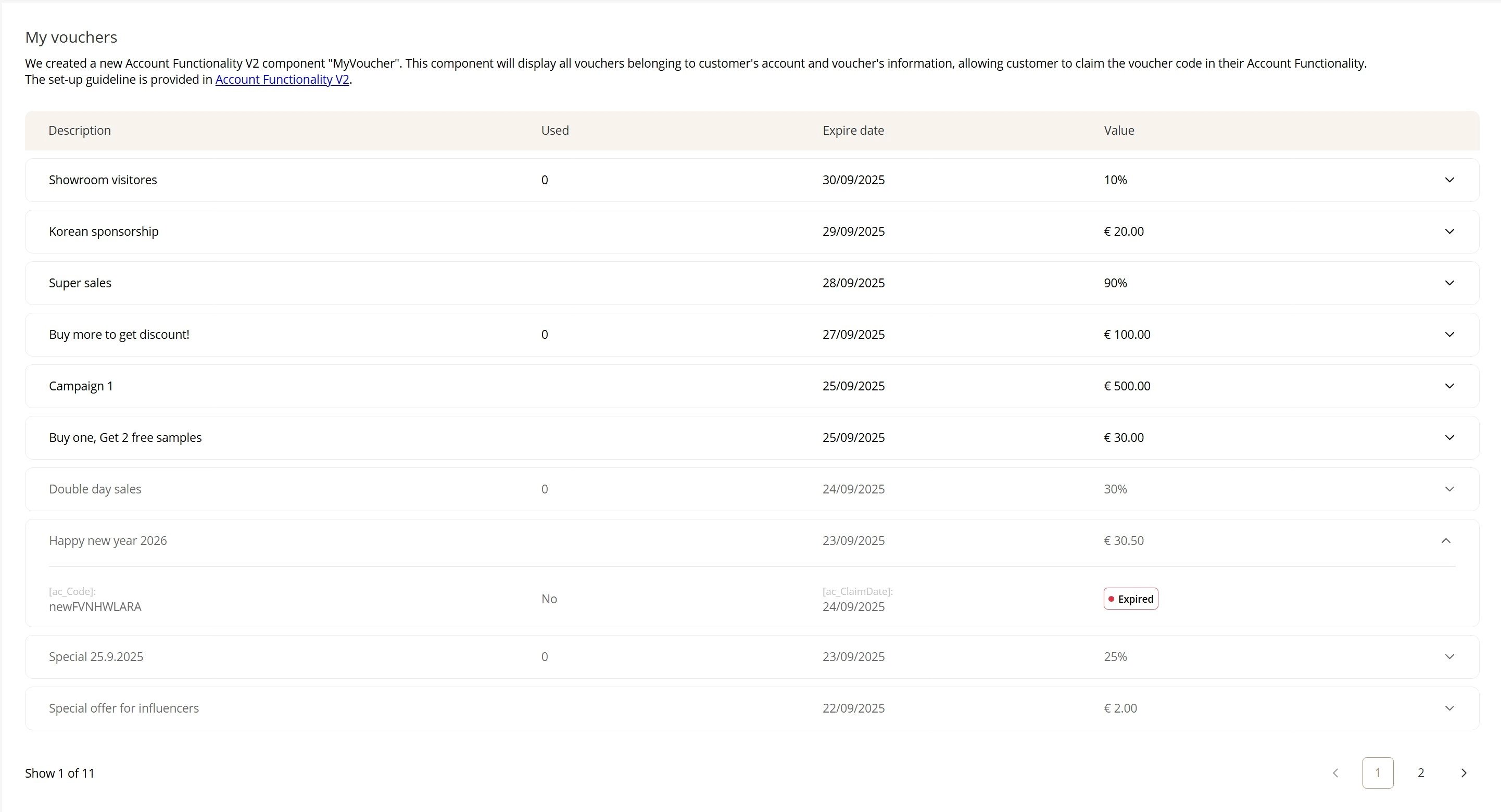
This component will display all vouchers belonging to customer's account and voucher's information, allowing customer to claim the voucher code in their Account Connect.
The voucher list is sorted by campaign expiry date, from upcoming to expired. After, customers claim their vouchers, the code will appear.
Title and description are editable via component editor. Other elements are set up with Translation keys below:
- ac-Description
- ac-Used
- ac-ExpireDate
- ac-Value
- ac-Code
- ac-Yes
- ac-No
- ac-ClaimDate
- ac-Claimed
- ac-Expired
- ac-Claim
- ac-EmptyVoucher (when account has no voucher assigned)
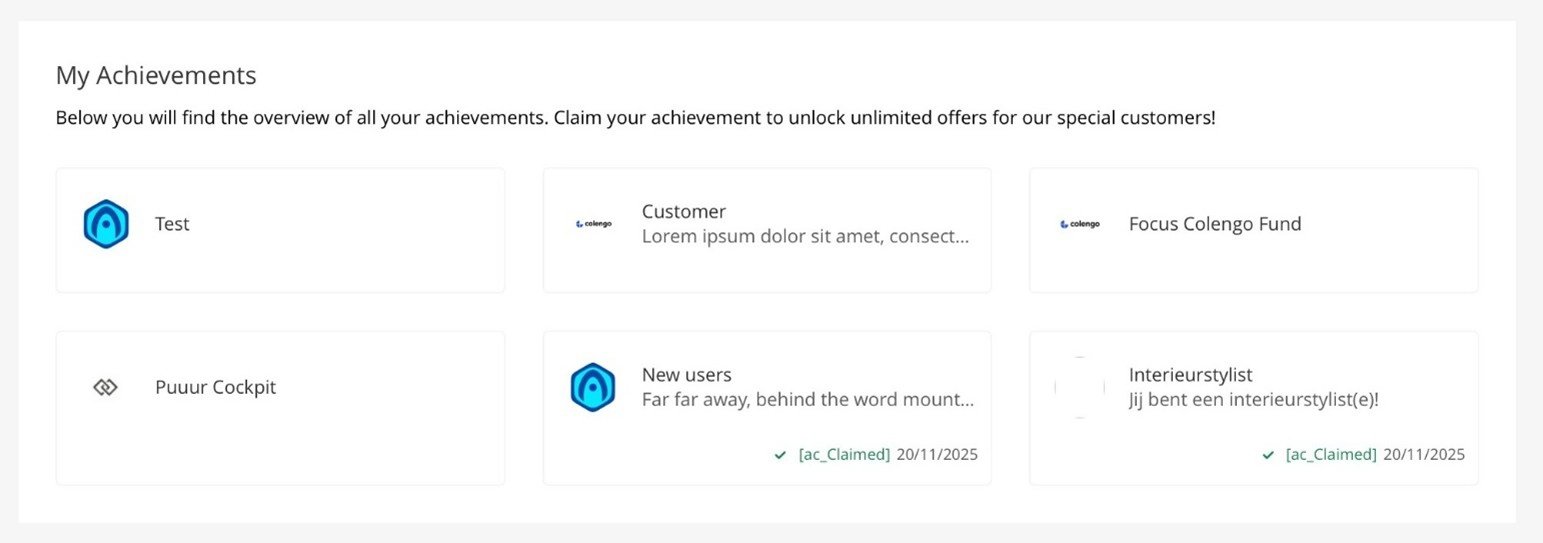
MyAchievements
This component will display all achievements belonging to customer's account and achievement information, allowing customer to claim the achievement in their Account Connect.
Title and description are editable via component editor. Other elements are set up with Translation keys below:
- ac-Claim
- ac-Claimed
MyAddress
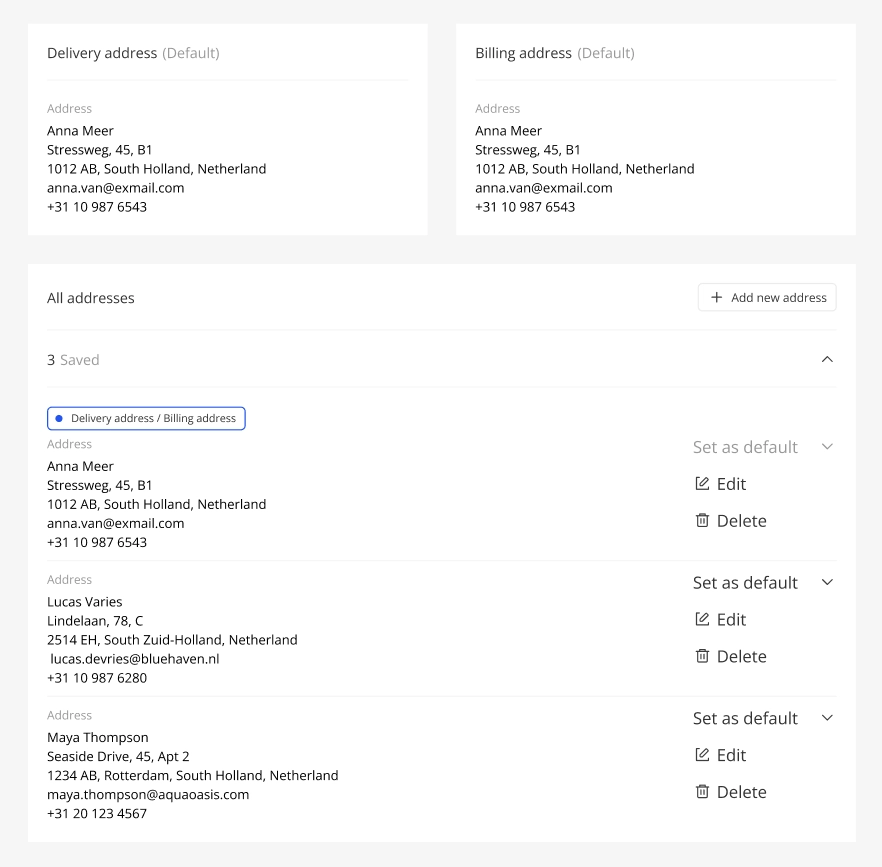
Dit onderdeel toont de adressen van de klant en stelt de klant in staat om hun adressen toe te voegen, bij te werken en te verwijderen. Het adresformulier is gebaseerd op een dynamisch formulier: Winkelgebruiker accountadres. Als een winkel de winkelfunctie "BillingAddress" heeft uitgeschakeld, verschijnt er geen sectie voor het factuuradres en kan de klant geen standaard factuuradres instellen. Elk element is ingesteld met de onderstaande vertalingssleutels:
- ac-YourDeliveryAddress
- ac-Default
- ac-Address
- ac-EmptyAddress
- ac-EmptyAddressDescription
- ac-YourBillingAddress
- ac-Default
- ac-Address
- ac-EmptyAddress
- ac-EmptyAddressDescription
- ac-OtherAddresses
- ac-AddANewAddress
- ac-TotalAddresses
- ac-NewAddress
- ac-EditAddress
- ac-NewAddressDescription
- ac-CustomerType
- ac-Company
- ac-FirstName
- ac-FirstNameRequiredMessage
- ac-LastName
- ac-LastNameRequiredMessage
- ac-Email
- ac-EmailRequiredMessage
- ac-ConfirmEmail
- ac-ConfirmEmailRequiredMessage
- ac-Telephone
- ac-TelephoneRequiredMessage
- ac-ConfirmTelephone
- ac-ConfirmTelephoneRequiredMessage
- ac-StreetName
- ac-AddressRequiredMessage
- ac-AddressNumber
- ac-AddressNumberSuffix
- ac-AddressNumberSuffixRequiredMessage
- ac-PostalCode
- ac-ZipCodeRequiredMessage
- ac-City
- ac-CityRequiredMessage
- ac-Country
- ac-SelectOneFromTheDropdown
- ac-CountryRequiredMessage
- ac-Cancel
- ac-AddAddress
- ac-NewAddress
- ac-CustomerType
- ac-Private
- ac-Company
- ac-SetAsShippingAddress
- ac-SetAsBillingAddress
- ac-SetAsBoth
- ac-SetAsDefault
MyOrders
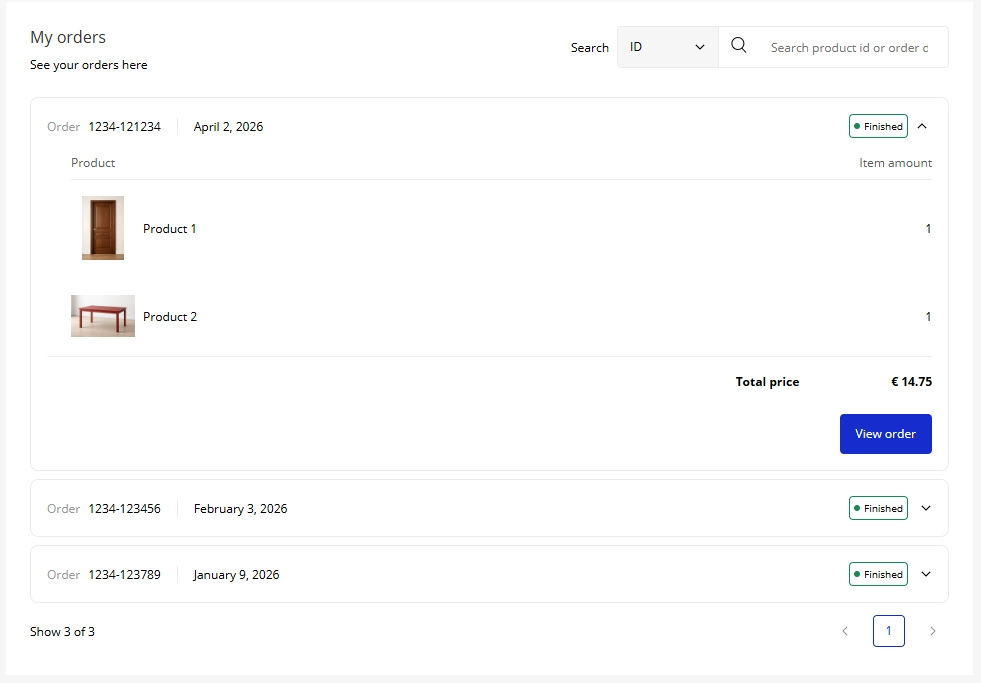
Deze component toont alle bestellingen, zodat gebruikers een lijst van hun bestellingen kunnen zien met korte details van elke bestelling. Klanten kunnen hun afrekenproces voortzetten of opnieuw de Orderflow betreden om de volledige details van elke bestelling vanuit de component te bekijken. Klanten kunnen hun bestellingen zoeken met behulp van order-ID, product-ID of de datum waarop de bestelling is aangemaakt.
Titel en beschrijving zijn bewerkbaar via de componenteditor. Andere elementen worden ingesteld met de onderstaande vertalingssleutels:
- ac-None
- ac-PreCreate
- ac-Created
- ac-Fraudcheck
- ac-Processing
- ac-Finished
- ac-Declined
- ac-Cancelled
- ac-Clear
- ac-Apply
- ac-Search
- ac-SearchProductIdOrOrderDateHere
- ac-Order
- ac-Product
- ac-Item
- ac-Price
- ac-TotalPrice
- ac-ViewOrder
- ac-EmptyOrder
MyWishlist
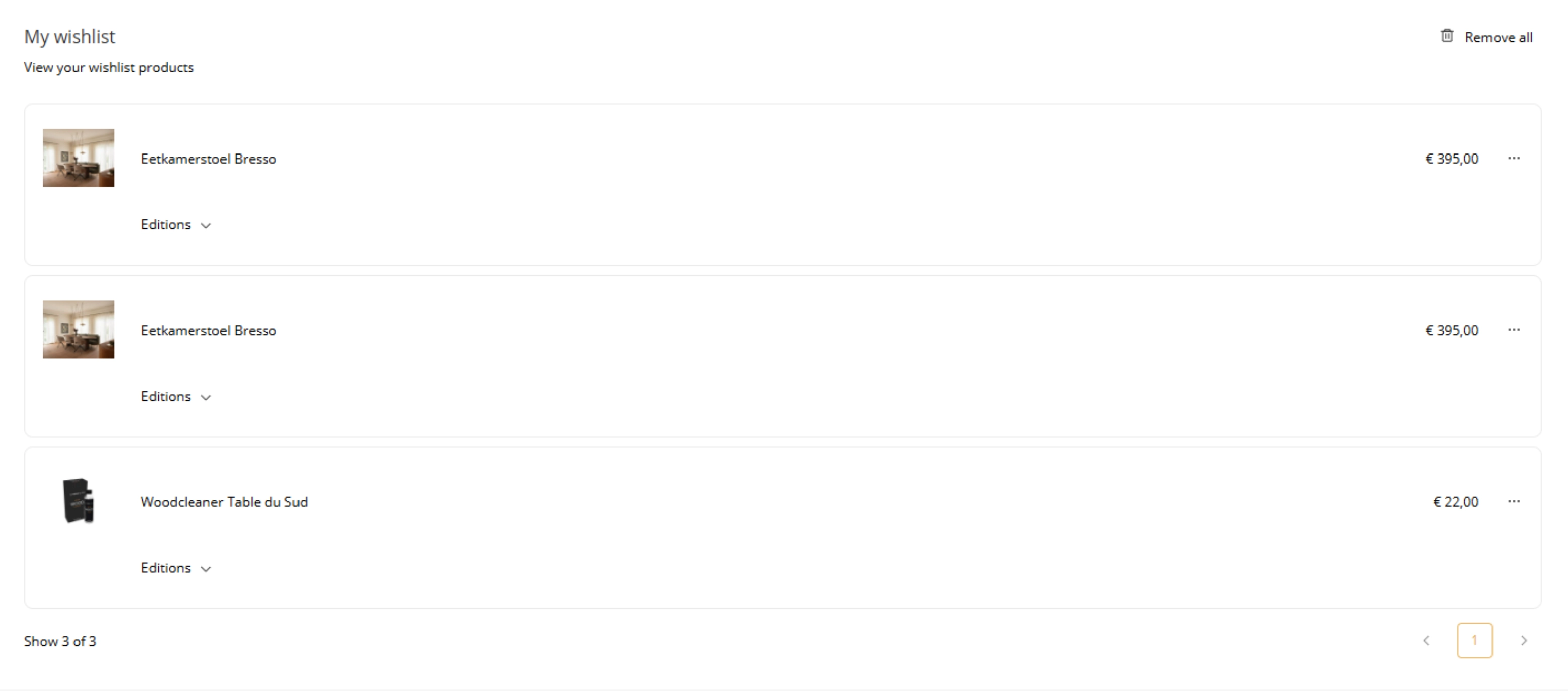
"MyWishlist" provides customers a centralised place to view and manage the products they've saved. Products that are deleted or inactive will be hidden automatically. Customers can take the following actions from the wishlist:
-
View product — opens the product page with the customer's previously selected editions and state.
-
Delete — removes a product from the wishlist.
-
Clear list — removes all products from the wishlist at once.
Products display from the newest (just added) to oldest.
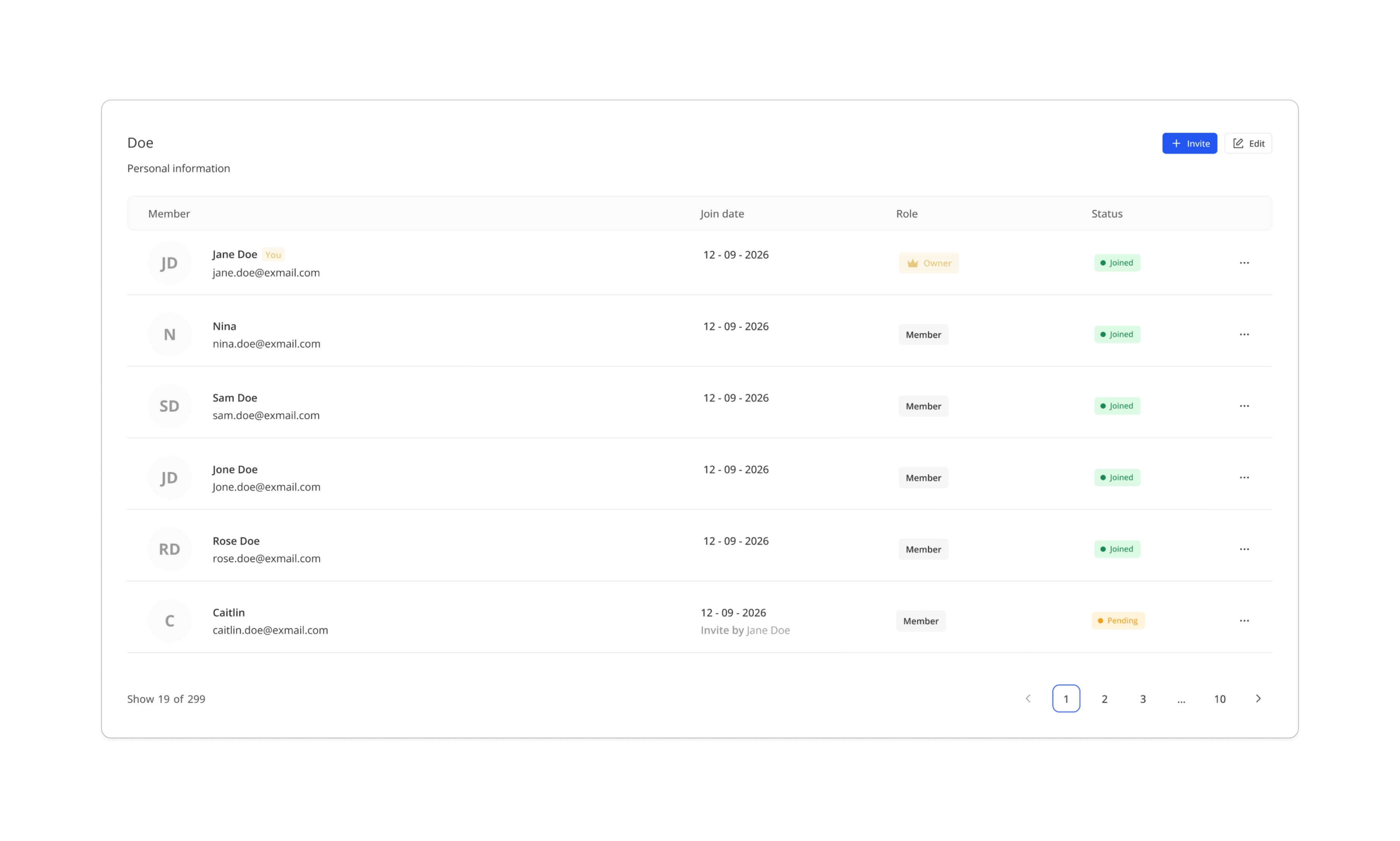
MyFamily
MyFamily component allows customers to form, view and manage their family on Account Connent page.
The content can be set up via component editor and translation keys.
The content on a component before forming a famiy is editable in component editor.
A button to create a family is translation key ac-CreateFamily.
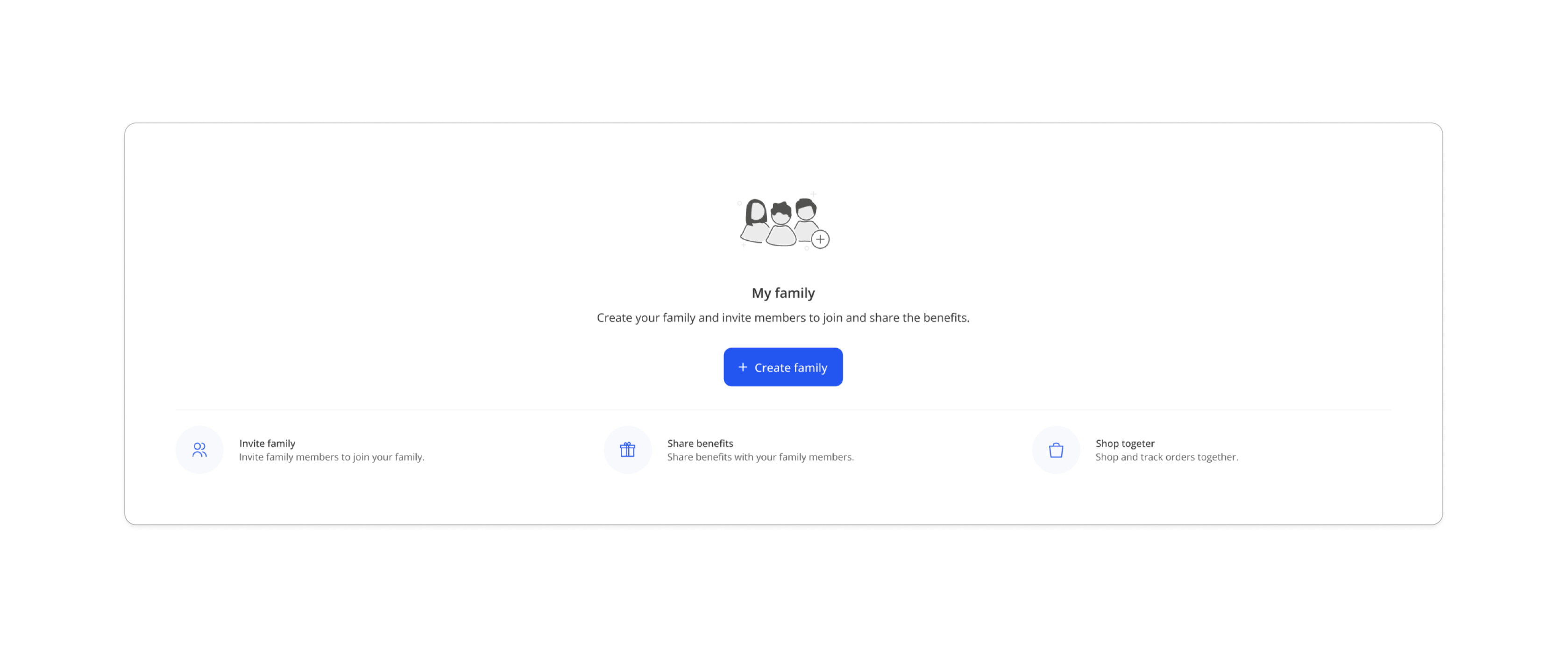
Other elements are set up with Translation keys below:
{} is the shortcode where you can use in the translation of the supported keys for system to replace it with the actual data. For example, add translation "Are you sure you want to leave {family}" for a key ac-FamilyLeaveConfirmTitle.
- ac-CreateFamily
- ac-FamilyApproveMember
- ac-FamilyApproveMemberConfirmDescription {member}
- ac-FamilyApproveMemberConfirmTitle {member}
- ac-FamilyApproveMemberFailed
- ac-FamilyApproveMemberSuccess
- ac-FamilyCreateFailed
- ac-FamilyEditNameTitle
- ac-FamilyInviteBy
- ac-FamilyInviteEmailHint
- ac-FamilyInviteEmailPlaceholder
- ac-FamilyInviteExpired
- ac-FamilyInviteFailed
- ac-FamilyInviteInAnotherFamily
- ac-FamilyInviteJoinDate
- ac-FamilyInviteJoined
- ac-FamilyInviteMaxEmails {max}
- ac-FamilyInviteRedeeming
- ac-FamilyInviteRejected
- ac-FamilyInviteRemoveEmail {email}
- ac-FamilyInviteSent {count}
- ac-FamilyInviteSkipped
- ac-FamilyLeave
- ac-FamilyLeaveAnyway
- ac-FamilyLeaveConfirmDescription {family}
- ac-FamilyLeaveConfirmTitle {family}
- ac-FamilyLeaveFailed
- ac-FamilyLeaveOwnerConfirmDescription {family}
- ac-FamilyLeaveOwnerConfirmTitle {family}
- ac-FamilyLeaveSuccess
- ac-FamilyLoadFailed
- ac-FamilyMakeOwner
- ac-FamilyMakeOwnerConfirmDescription {member}
- ac-FamilyMakeOwnerConfirmTitle {member}
- ac-FamilyMember
- ac-FamilyMemberActions {member}
- ac-FamilyMembers
- ac-FamilyName
- ac-FamilyRemoveMember
- ac-FamilyRemoveMemberConfirmDescription {member}
- ac-FamilyRemoveMemberConfirmTitle {member}
- ac-FamilyRemoveMemberFailed
- ac-FamilyRemoveMemberSuccess
- ac-FamilyRenameFailed
- ac-FamilyRenameSuccess
- ac-FamilyResendInvite
- ac-FamilyResendInviteFailed
- ac-FamilyResendInviteSuccess
- ac-FamilyRole
- ac-FamilyRoleChangeFailed
- ac-FamilyRoleChangeSuccess
- ac-FamilyRoleMember
- ac-FamilyRoleOwner
- ac-FamilyStatus
- ac-FamilyStatusExpired
- ac-FamilyStatusJoined
- ac-FamilyStatusPending
- ac-FamilyStatusWaitingForAccept
- ac-FamilyTitle {family}
- ac-FamilyYou
- ac-Invite
- ac-ErrorInvitationTitle
- ac-ErrorInvitationDescription
- ac-ErrorCode
- ac-ErrorNotFoundDescription
- ac-ErrorAlreadyInAnotherFamilyTitle
- ac-ErrorAlreadyInAnotherFamilyDescription