

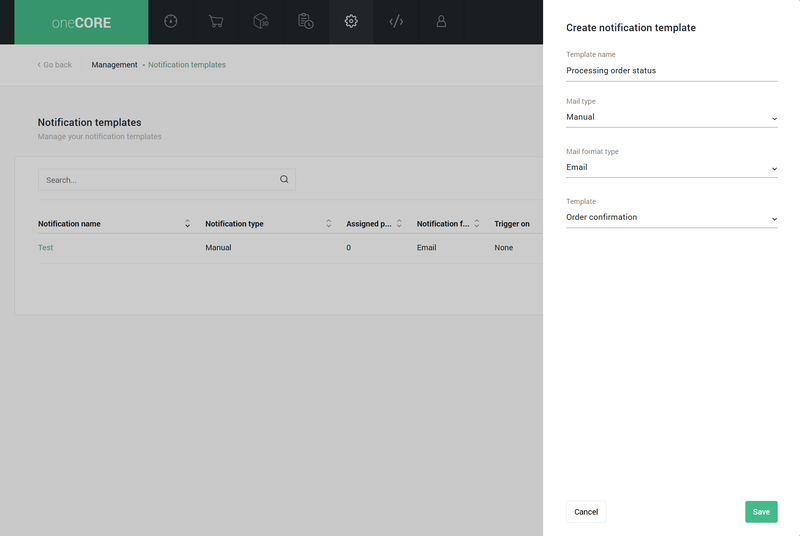
- Navigate to Notification templates under Management menu.
- Click “Add notification”
- Enter “Template name”
- Select mail type “Manual”
- Select mail format – Email or SMS
- Select “Template”
- After the manual notification template is created, enter subject line and content.
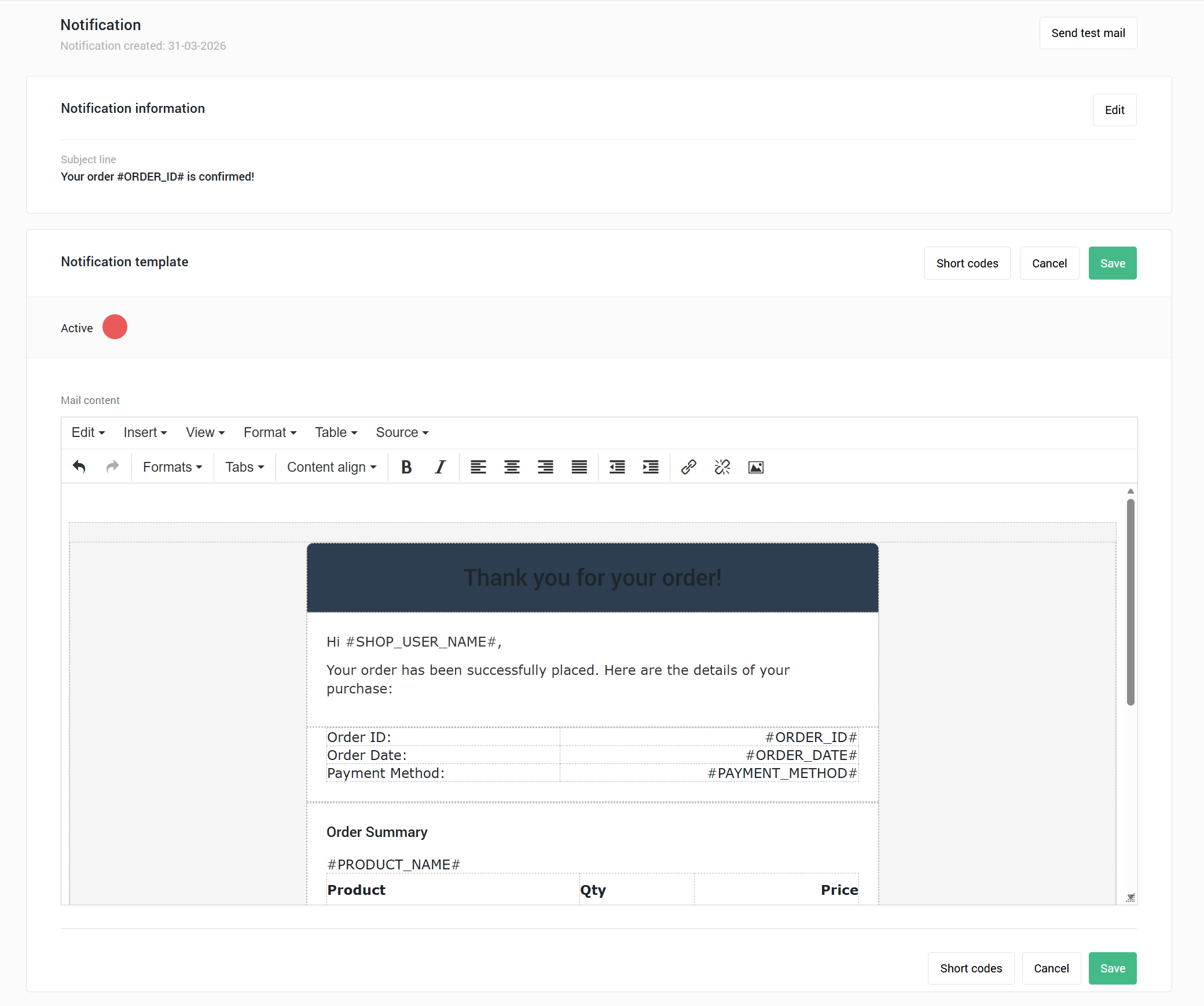
Manual Notification Template
The Manual Notification Template is designed to work seamlessly with automated tools that are integrated with our Public API.
You can manage the subject and content of your notifications within the oneCORE platform, while leveraging dynamic data from external systems. Besides, you have full control when the notifications are sent.
The Manual Notification Template is limited to managing the message content (subject and body) on the oneCORE platform. Other details—such as recipient email addresses, CC contacts, and related parameters—must be provided through the Public API at the time of triggering.
Permissions
To manage Manual notification templates, users are required to have "NotificationTemplates" as a primary role and “DynamicNotificationTemplates” for selecting the manual template.

Create Manual Notification Template
Template
The template defines which dynamic data can be used with this notification template, helping ensure that only relevant data is included in the content. Dynamic data refers to values that vary per recipient, such as personal information, order IDs, etc.
Compatible data is made available as short codes, which can be used in notification content. 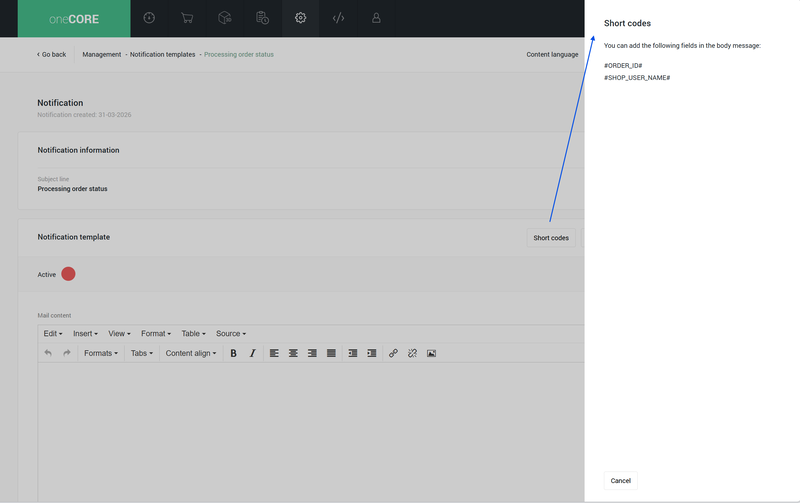
How to create a template:
The template can only be created via a public API DynamicNotificationTemplates (/api/v2/dynamicnotificationtemplates).
- Name: to name a template
- Field: to specify the compatible data
Identifier: a short code to use when managing the content body. Preferred to be in capitalized format.
Type: a type of data. It can be text (0) or number (1).
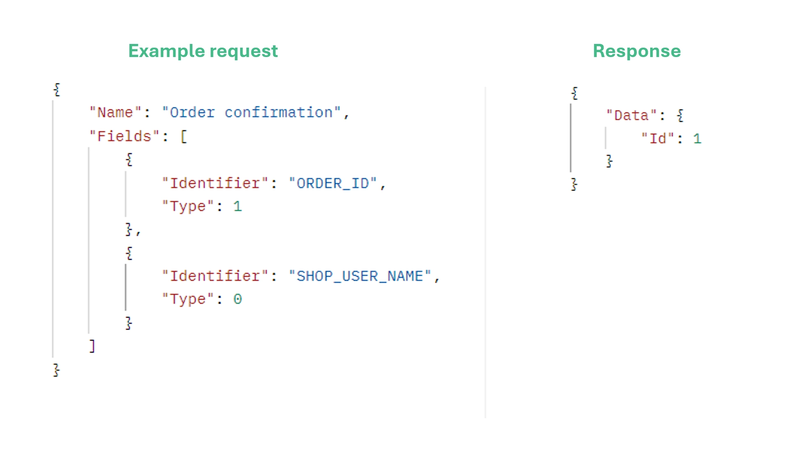
Example request
{
"Name": "Order confirmation",
"Fields": [
{
"Identifier": "ORDER_ID",
"Type": 1
},
{
"Identifier": "SHOP_USER_NAME",
"Type": 0
}
]
}
Response
{
"Data": {
"Id": 1
}
}
Send notification
The Manual Notification Template will send emails or SMS messages based on a Public API call to the notification template trigger endpoint (/api/v2/notificationtemplates/trigger). Within a request, you can define senders, recipients and other information. You can also include the dynamic data which will be used to replace short codes in the email or SMS content at the time of sending. 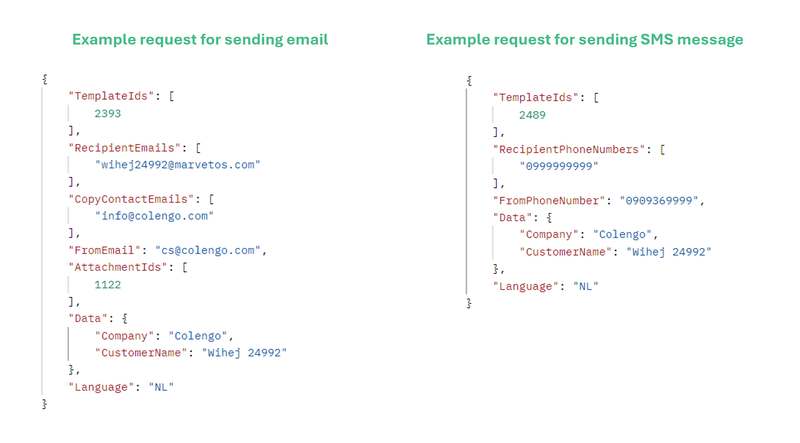
Example request for sending email
{
"TemplateIds": [
2393
],
"RecipientEmails": [
"wihej24992@marvetos.com"
],
"CopyContactEmails": [
"info@colengo.com"
],
"FromEmail": "cs@colengo.com",
"AttachmentIds": [1122],
"Data": {
"Company": "Colengo",
"CustomerName": "Wihej 24992"
},
"Language": "NL"
}
Example request for sending SMS
{
"TemplateIds": [
2489
],
"RecipientPhoneNumbers": [
"0999999999"
],
"FromPhoneNumber": "0909369999",
"Data": {
"Company": "Colengo",
"CustomerName": "Wihej 24992"
},
"Language": "NL"
}