Sign in

Combination prices

The oneCORE platform is specifically developed for complex configurable products that typically require complicated setup and pricing structure. A powerful feature that simplifies this process is Combination prices, renamed from External prices. As the name suggests, this feature allows you to import pre-calculated prices from external files instead of defining them directly in product editions, enabling you to manage complex pricing and to seamlessly import prices from external ERP system. 

With this feature, you can upload the prices based on Product Combinations which represent all possible combinations of product specifications. Each product combination record corresponds to one possible configuration of a product.  


Permissions 

To access/manage the External prices feature, users are required to have “ExternalPrices” role. 

bg-big

Import Combination prices

  1. Navigate to Combination prices feature under Products menu. 
  2. Click “Add .CSV file(s)” to upload Combination prices. The maximum file size is 30MB.  
  3. After upload, you must “Update price” at the file to update the Combination prices. The updated price can be seen on front-end 5 minutes after an update is completed. 

Note: multiple files can be uploaded at once. However, you can update price only one file at a time. 

bg-big

Replace file

A function to replace file provides an easy way to delete the existing file and upload a new file to replace it.  


Conditions 

If importing or replacing the Combination prices which have the same combination key and combination value with the existing Combination prices, system will replace the existing Combination prices with new prices.

bg-big

Combination price file 

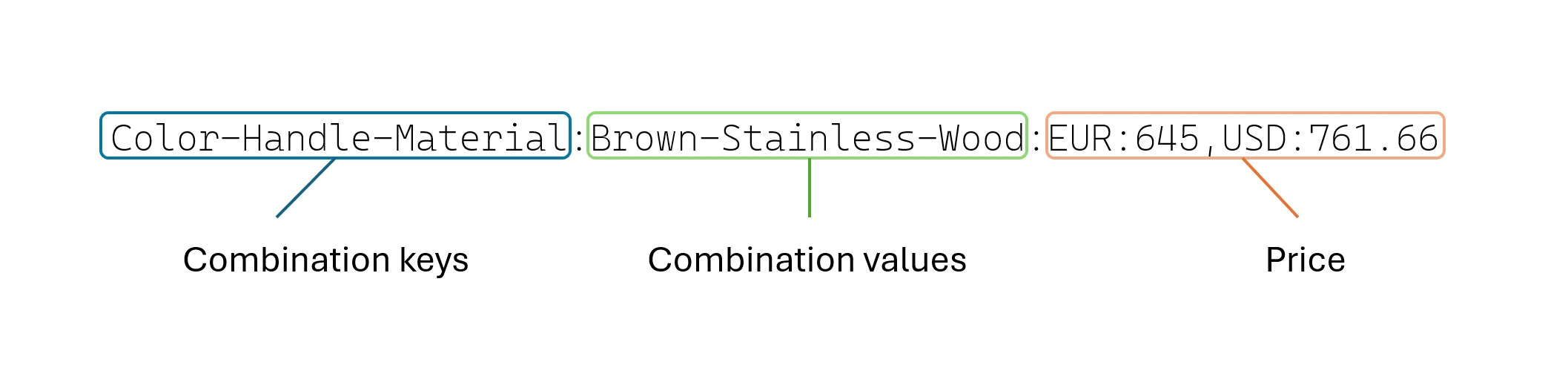
Each combination price file (.csv file) contains Combination prices which each record or row defines the combination keys, combination values and price.  


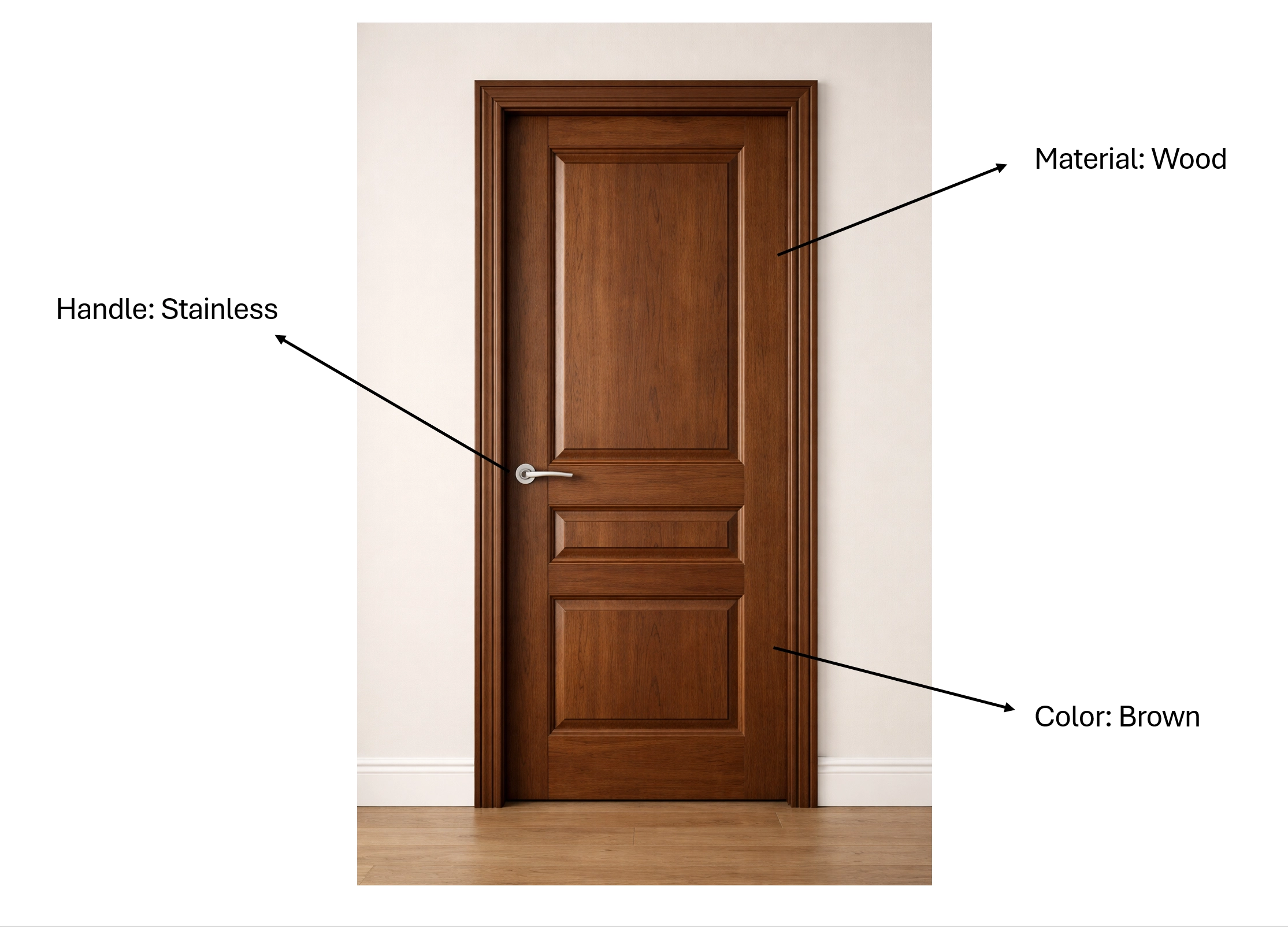
Combination keys represent the attributes of a configuration, for example, material, color, handle of the door.  

Formatting 

          - Ordered by alphabet (ascending) 

          - Separated by a hyphen (-) 

          - Case-sensitive 

ExampleColor-Handle-Material 

Combination values represent the options for each key, for example, wood as a material option, brown as a color option, and stainless as a handle option. 

Formatting 

          - Following the same order as the keys 

          - Separated by a hyphen (-) 

          - Case-sensitive 

ExampleBrown-Stainless-Wood 

This means  

         - Color is Brown 

         - Handle is stainless 

         - Material is wood 

Price represents the price for the specified configuration. 

Formatting 

          - If your shop supports only one currency, currency code is not required.  

          - Example: Color-Handle-Material:Brown-Stainless-Wood:645 

          - If your shop supports multiple currencies, currency code is required. Currency code must be capitalized, separated by using comma (,). If at least one currency is specified, you must provide prices for all supported currencies. Otherwise, the system will assume the missing currencies have a price of 0. 

                  - Example: Color-Handle-Material:Brown-Stainless-Wood:EUR:645,USD:761.66 

Example 

         - Color-Handle-Material:Brown-Stainless-Wood:EUR:645,USD:761.66 

         - aModelname-bWidth-cDepth-dHeight-eMaterial-fCompartments-gLayout-hPosition-iFinishing-jLighting:Gregdouble-120-40-220-EIKEN-2-Door-Standing-MAT-NO:5835 

         - aModel-cZelfsluitendeDeur-dOpberglade-eAlternatiefInterieur-fAansluitingRookgasafvoer-gBuitenluchtaansluiting-hInOfUitwaterend-oHandgreep-pPlaatsingsw 

         - ijze-zCountryCode:BM2-ZSD-OL1-IBE-AAA-VAC-IWA-HG1-VRY-DE:6999 


bg-big

Combination prices and Master editions

Master editions play an important role to determine the connection between Combination prices and editions. System will use the Combination price “Key” and Combination price “Value” in Master edition’s meta data to look up for the price in Combination prices.  

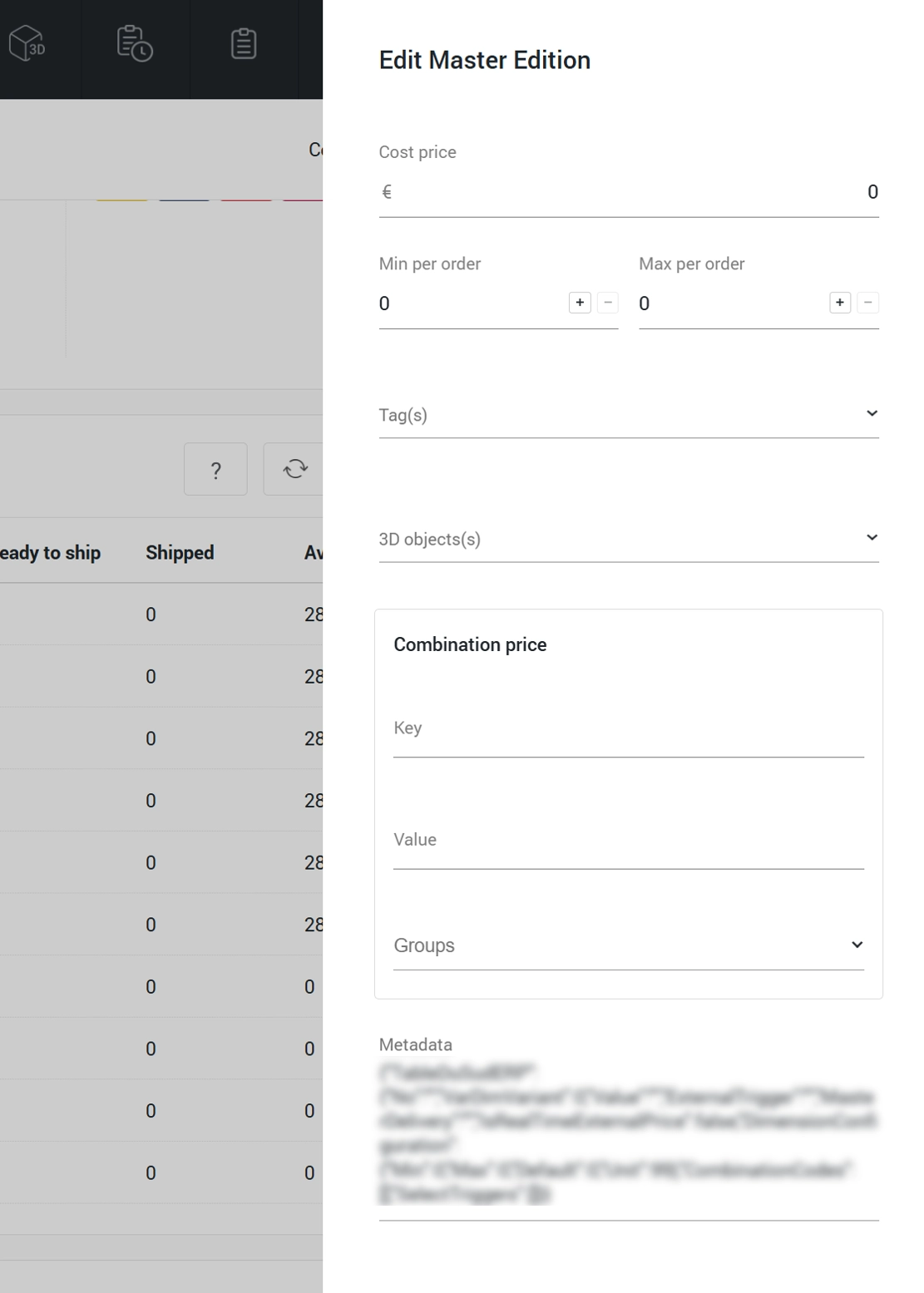
From March 9, 2026, we will primarily use the Combination price “Key” and combination “Value” in a Master edition’s Combination prices which includes “group” management, to improve usability with a more user-friendly interface. A feature "Combination Price" must be enabled to see this field. Please navigate to Company settings > Shop features to enable the feature. Once enabled, a new input field called “Combination Price” will appear in the Master Edition Edit sidebar. 

System will migrate existing key and value data from Master edition's meta data to Combination price. If the data migration is completed for a Master edition, the system will use the key and value from a new field. If any manual changes are made to the Combination Price field (key, value, or groups) before migration occurs, the system will skip the migration for that Master edition and immediately use the data from the new field.  

Important Reminder 

For new Master editions created after March 9, 2026, the key and value must be set up in Combination price instead of Meta data.  


Ready for a change? Find out with our Quickscan!


See instantly if your made-to-order business and our platform are a perfect match.

Book a demo