
The shape sets the rules for what follows.
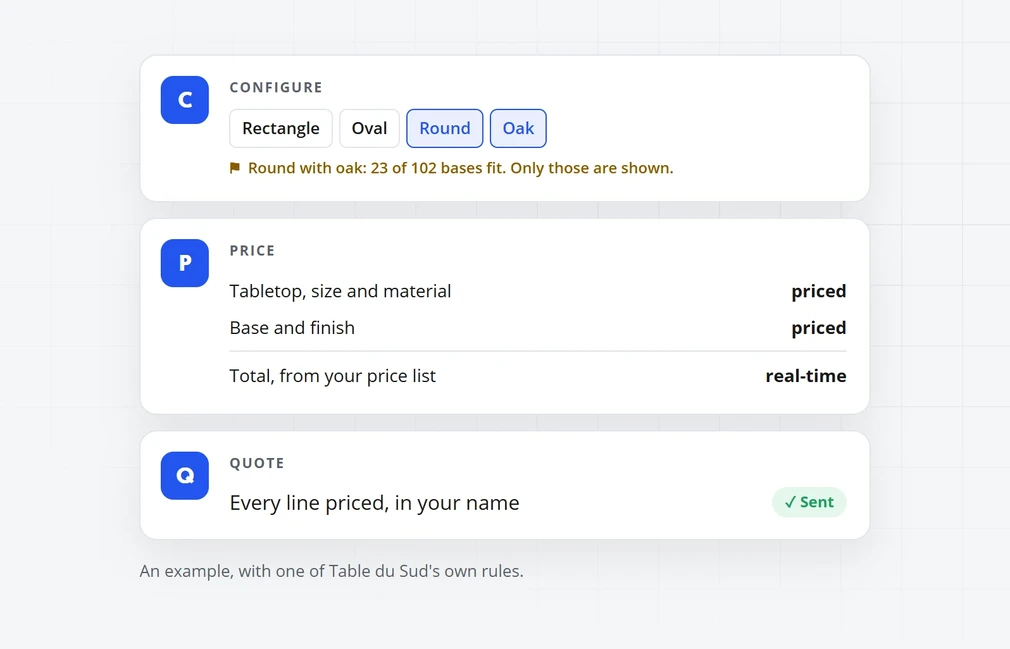
Pick a shape, and the sizes and bases on offer change with it. The customer never has to know why; they only see choices that work.

Guided selling
A dining table at Table du Sud, step by step. The rules are theirs, as they run in the configurator you can try yourself.
Pick a shape, and the sizes and bases on offer change with it. The customer never has to know why; they only see choices that work.

Some bases only go up to a certain size. When the customer drags past it, the rules swap in a base that fits and say so, instead of letting an order through that can't be made.

Out of more than a hundred bases, a round oak table offers 23. The rest never show, so the customer can't pick a combination your workshop can't make.

The finished configuration becomes a quote with every line priced, in your name. Your sales team gets the lead with the full configuration, or the dealer orders it straight away.
How it works
01
Customers configure the product themselves and request a quote with one click. Lusso Outdoor's customers build their kitchen module by module, with the price as they go, and every configuration becomes a quote automatically.

02
Dealers log in, configure, see their own price and order. Barbas' dealers configure fireplaces in their portal, and each order goes on into Barbas' ERP and production. A salesperson can order a configured product for a customer with one click, and Azura's advisors configure and order at the customer's home, with every order in Salesforce.

03
With the Yuna Player the configurator runs on a showroom screen, where you configure together with your customer. At fairs, visitors scan a QR code and configure on their own device. The quote goes to their email as soon as they finish.

Customer story · Glass doors

Glass Inside's customers configure pivot, hinged and sliding glass doors in 3D. Prices come from Glass Inside's own Excel price lists, and each configuration becomes a quote within two minutes.

Related
Questions
Book a 30-minute demo, or try a configurator in 3D first.