
Every lead arrives complete.
- The lead with its configuration and quote
- Where every lead came from
- Power Automate, ActiveCampaign, Drip and the public API
How it works
From configuration to conversation.
01
The lead comes with the configuration.
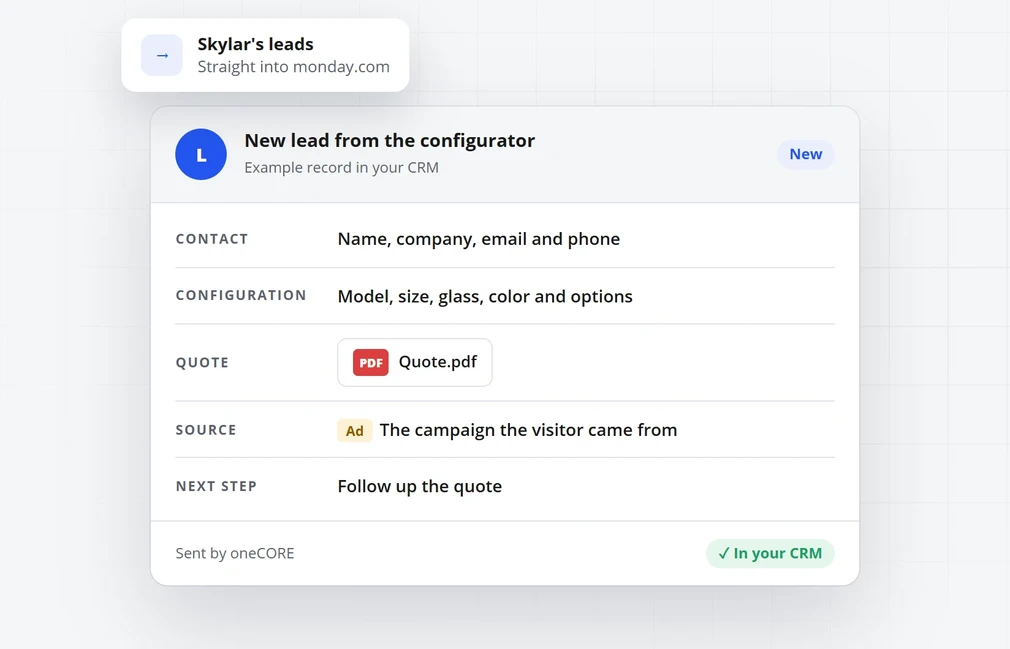
When a customer requests a quote, oneCORE prices it from your own price lists and sends it in your name. Your sales team gets the lead with the full configuration, so nobody has to ask what the customer wanted.
Glass Inside's customers design their door in 3D and get a quote within two minutes. Glass Inside gets the quote and the lead.
- Contact details and configuration in one record
- The quote attached as a PDF
- No details to copy from an email
Glass Inside: the quote and the lead, with the full configuration.

02
Know where every lead came from.
At Skylar, contact and registration forms, quotes and ad attribution go straight into its monday.com CRM. Sales knows where every lead came from, and starts each conversation with a complete configuration and a quote already sent.
- Forms and quotes land in the same record
- The campaign stays attached to the lead
- Sales sees which campaign brought each quote

03
One customer profile, in every system.
With Microsoft Dynamics, contact details, purchase history, payment preferences and personal settings stay in sync. Current profiles let your team serve each customer personally and target marketing better.
A data bridge shows Dataverse tables in the customer's own account on oneCORE: purchase history, loyalty points and personal offers.
- Profiles updated in real time
- Sign in with Google, Meta, Steam or Auth0
- Customer groups and vouchers set by a flow

Triggers
Your flow runs the moment something changes.
oneCORE fires a trigger when something happens to a customer, a quote or an order, and sends its ID to your Microsoft Power Automate flow. From there the flow updates your CRM or mailing list, or starts the follow-up.
Triggers
- Customers
A new customer account, or a changed one. - Quotes
A new status, contact, products or follow-up date. - Orders
A status change, for the statuses you choose.

Integrations
Connected to the sales and marketing tools you use.
Standard integrations from our price list, and the routes for everything else.

Triggers on customers, quotes and orders start your own flows. In every package.

Newsletter subscriptions from your order flow. In Full e-commerce, and in a dealer portal built on Product configurator only.

A standard integration in Full e-commerce, and in a dealer portal built on Product configurator only.

A standard integration in every package.

Several newsletter tick boxes in the order flow, each connected to the marketing provider you choose.

Customers, addresses, quotes and orders for your own developers, or a Cloudflare Worker.
Customer story · Skylights

Every Skylar lead arrives configured, with its source.
Skylar makes made-to-measure skylights in its own workshop in Helmond. Customers configure theirs in 3D on skylar.nl and get a PDF quote. Forms, quotes and ad attribution go straight into Skylar's monday.com CRM, so every lead arrives with its configuration and its source.

Related
Related solutions.
Questions
Leads and your CRM.
Where does your sales team work?
Book a 30-minute demo and we'll show you how your leads get there, complete.