
Products, catalogs and combination prices.
Read and manage products and catalog products, and the prices of product combinations, up to 1,000 combination prices in one bulk call.

How it fits
Your developers keep full control of the front end. Behind it, oneCORE holds what makes configurable products hard to sell: the editions, the rules that decide what fits, the combination prices, the quotes and the orders.
How it fits

The API
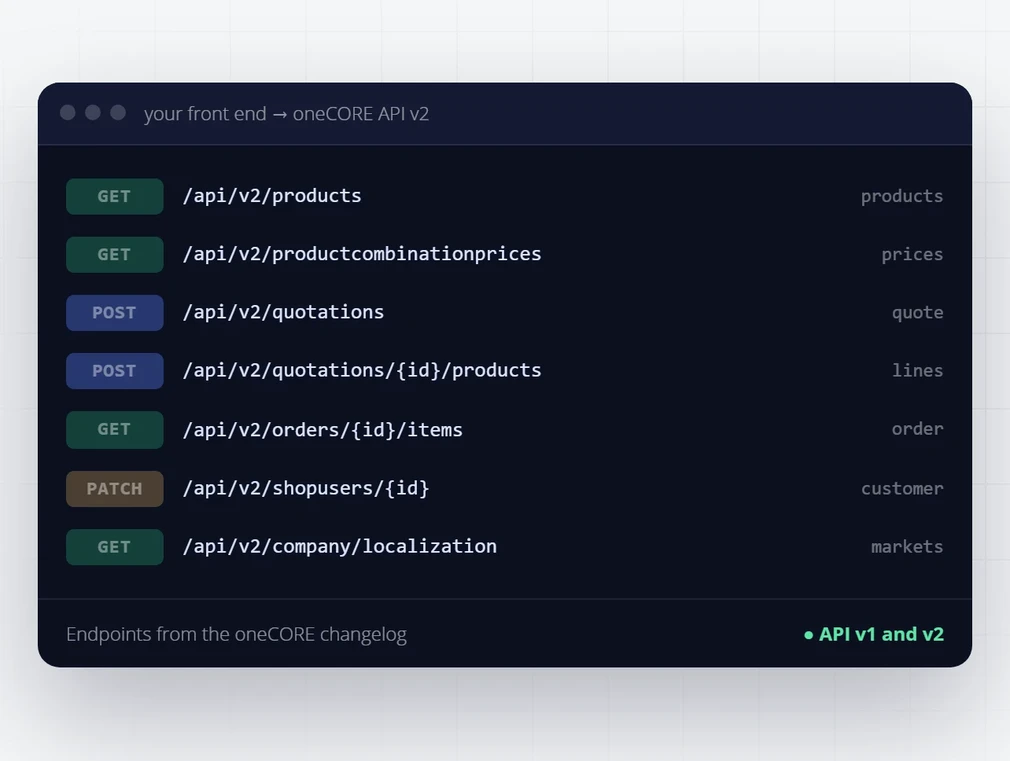
A selection of the endpoints, as published in our changelog. The full list is in the Swagger documentation at /api-swagger on your shop.
Read and manage products and catalog products, and the prices of product combinations, up to 1,000 combination prices in one bulk call.

Create a quotation, add the configured products to it, and update or read it back, with the customer data that came with it.

Read an order with its discount, transactions, outstanding amount, language and shipping method, its items with combination prices and VAT, and its shipments.

Create and update customers, their addresses, types and achievements, and link customers to the salesperson who looks after them.

Manage page components and headlines, shop notifications, and read the languages, currencies and shipping countries a shop sells in.
How it works
01
The oneCORE configurator runs inside WooCommerce, Magento or a platform of your own. Prices follow your rules, and one click puts the configured product in your cart. Bogard works this way in WooCommerce, and George at Work in Magento.

02
Write a piece of dynamic content once and link it wherever you need it, made for flexible front-end use. Page components and sections are yours to show as you like, and pages can carry JSON metadata that pulls in data from other systems.

03
Cloudflare Workers are applications built around oneCORE that do the work for you, started by events. Use them to fetch live prices and stock from your ERP, create sales orders or start purchase orders. Your own development team can build them too.

Customer story · Workshop furniture

George at Work's customers design a complete Kraftmeister workshop on configurator.georgeatwork.com, in Dutch, German, French, English or Italian. The finished configuration goes into the Magento webshop as a ready cart, so customers check out the way they know.

Related
Questions
Book a 30-minute demo with your developers.